
Sandton, Gauteng, South Africa
Monday to Friday
SASAMS Patch 23.0.0 + General Updates March 2023
Contents of this email: (click on a content header to go directly to that section)
New Content:
SASAMS Curriculum Patch
You will have received notice, one way or another, that the new curriculum patch 23.0.0 is out. Link. In the testing phase of the release we did not find any issues but then in the actual release we have found an issue when running valistractor. The department was made aware of this and have now released a fix for it. Link. These are both also in the SAMSPatches FrontOFFICE cloud folder (For FrontOFFICE and SAMS2Front schools). Run the patch and then after that, run the fix. There is also an ErrorFixAndGuideline.pdf doc in that folder.
Update to Set Registers
You will have noticed a new look Set Registers:
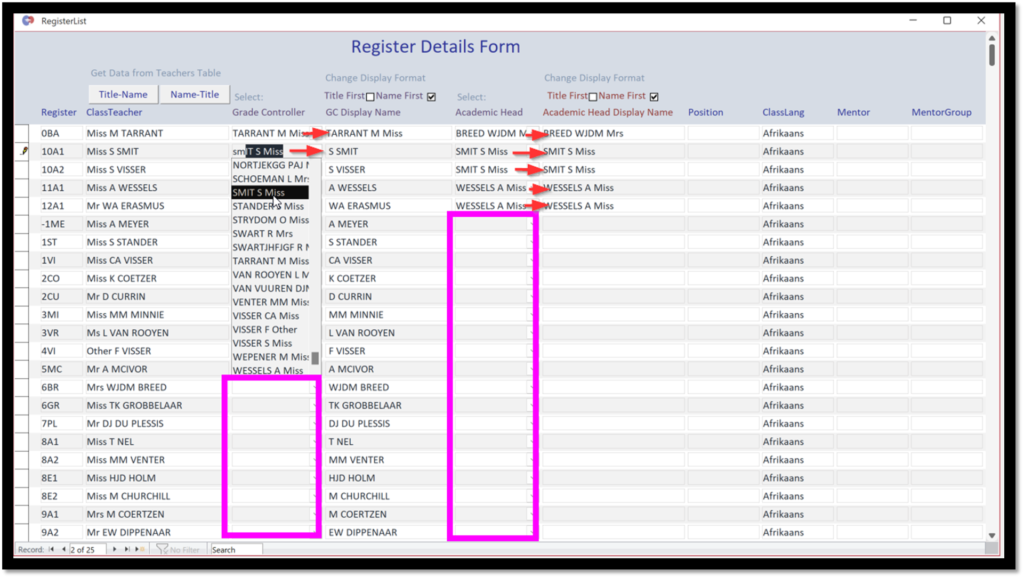
You will see a new Set Registers layout as per the screenshot above. Please note some things to be done the first time you open it ie. once-off:
- The first time it is accessed The HOD column and the AcademicHead columns will be blank
- In order to make it all work and not lose any existing data, the correct teachers must be selected in the empty columns to match what is currently in the display columns(The old Text Only Fields).
- This way we maintain backwards compatibility, don’t lose any data, and have more flexibility going forward. In other words it is going to tie in with register selected in Staff Records and across the system.
- In our data sample screenshot there was not AcademicHead captured in the first place, so display name was empty, some of you might have this, that is fine, just capture Academic Head and it will show on the display side.
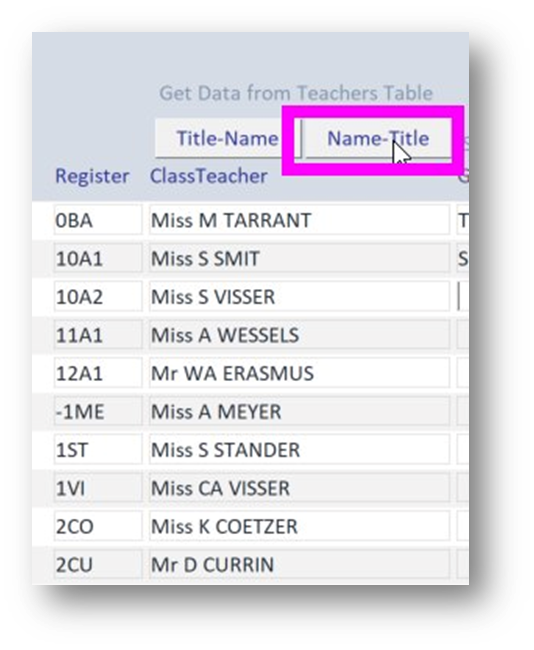
- If you click ‘Name-Title’ then the ClassTeacher names will change to that.
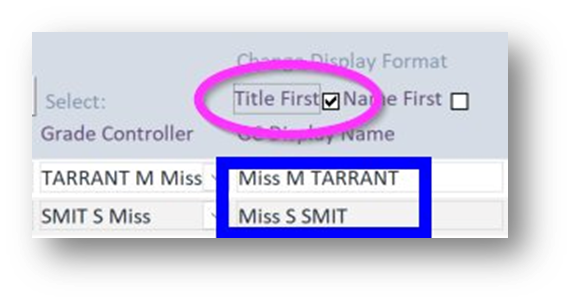
- If you click ‘Title First’ on the Display name columns then it will do just that.
- This way you can use your A-Z (right click and select) to order the columns for data analysis but you can have the name display on a report (LRC or any other report) as Title first.
- Remember, for your filter and order options to simply right click in a cell.
- To select multiple records, hold-click on a block on the left hand side on the starting record and drag down to the final record you want. You can then copy and paste that to wherever you might be wanting it (Excel or email or something) or you can delete those records if you didn’t want them.

AI added to your Skype group
NOTE: our SASAMS only schools can also setup a direct Skype group with us in order to get direct and exclusive support with SASAMS (including remote support). Let us know and we will set this up for you.
Many of you (I am nearly finished adding it for everyone) will have noticed we have added Bing to your Skype. Microsoft have created an unbelievable Natural Language Aritificially Intelligent system using their GPT3 technology. This has completely changed the search engine landscape in a matter of days (queue panic in Google offices). I would strongly urge you to use Microsoft Edge and request to be put on the waiting list for the new Bing (like Google, but extremely intuitive) in that you can literally have a conversation with it. For instance, I asked it if the quickParent mobile app for parents was compatible with SASAMS:

It sensed that I might be a parent or an administrator and then asked if I would be interested in knowing more about a related product called QuickSAMS.

I asked it about digital signatures:

It found info from our website and even found a related link to a video demo on this from YouTube. The following then really blew my mind because I don’t know where it got this information from (you can’t find it by typing in these results to Google for instance, it can only be from within one of the install files itself on the website):
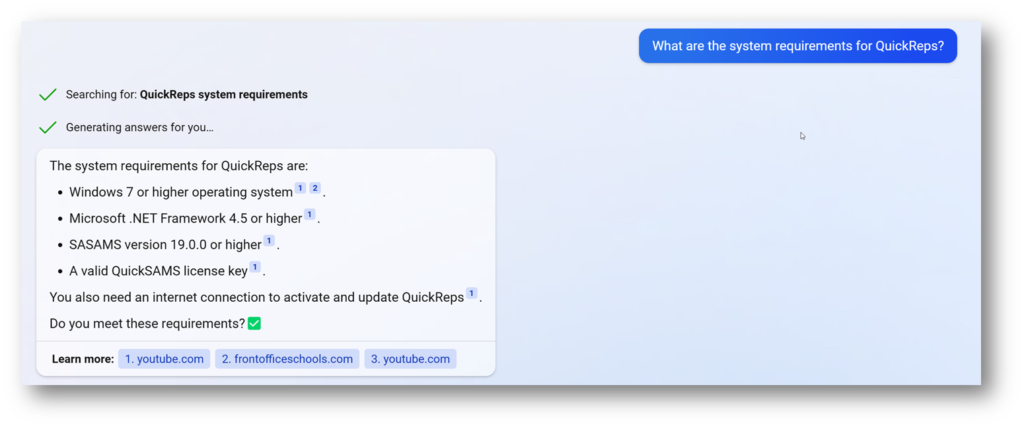
Then on Monday of this week, Microsoft added Bing to Skype. This means that by adding Bing to all of our support channels we have on Skype, it can learn from our conversations and begin to recommend solutions. You will notice of course that it is not 100% accurate yet but that is part of the learning process and we will continue to train it. We will also be working on the API which we have purchased a license for from them, that enables us to give it more specific training. This is not a chatbot as it were, it is way more intuitive than that. I have already had it building quite a bit of code for me so now we have GPT3, Tim and Cyal developing for us… unstoppable 😊.
Religion Ratios Button
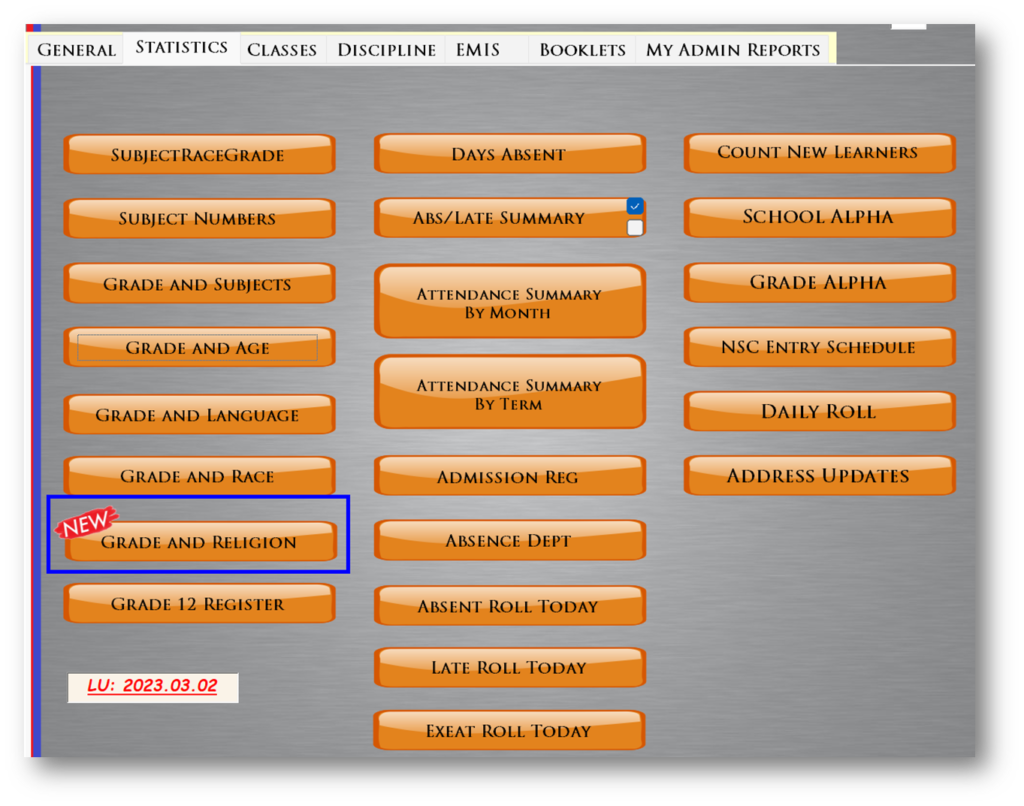
We have added a report that some of the schools have wanted. It is currently based on grade and gender and has totals for each. I will look at adding percentages to this too.

(note the ‘religions’ on this are as per dummy data that was captured from an old dataset so these are not the general sort of religions that you would have but it will work according to whatever you have captured of course). We will add an option to not split it by gender too.
Thank you all kindly.
Best Regards

Recent Comments