
Sandton, Gauteng, South Africa
Monday to Friday
SAMS Sync 3A Patch 22.1.0
Contents: (click on a content header to go directly to that section)
New Content:
LO Grade 12 T4
Rightio, so there has been some confusion around this as it shows in SASAMS T4 as the Final Exam not counting and only the SBAs.
There has been some clarification from the EMIS department in this regard:
- They will be issuing 2 sheets to be captured for the grade 12s.
- One will be for all the marks before the “Final Exam”.
- This is the SBA portion for the subject out of a total of 320.
- The second (probably green) sheet will be for the Final Exam Marks (out of 80)
- – They are treating this subject as if it has a PAT component, since the green sheets are normally only used for the PAT component for Grade 12 subjects which have a PAT component.
- These marks will be adjusted as necessary by Umalusi before being combined with the SBA to produce a final mark which will appear on the Statement of Results for Grade 12’s.
It is not necessary to capture anything for Term4 in SASAMS for any subjecy for Grade 12s. Everything will be filled in with -1s. This will be done by the admin department and need not be done by any teachers.
I hope this clears up any confusion.
SAMSSync3A Green Light (Staff Leave changes)
You can now sync your FrontOFFICE to SAMS after having run the latest patch IF you are up to a minimum of update 182 in FrontOFFICE. One thing that is somewhat affected (although it will still run) is the staff leave table. SASAMS does not actually have an actual table that lists the staff leave. It is built into their front end (ie. inside the drop down list itself as opposed to the drop down list drawing its information from a list table). They have made changes as per the following:

So where they previously had:
- ‘Office bearers/shop stewerds leave’ (8)
- ‘Study Leave’ (22)
Those have been taken out.
Where the value 25 was previously for ‘unknown’, it is now for ‘unauthorised upaid leave’.
Then they have added 6 new leave types.
The resolutions you may need to apply are:
IF you have any of your own Leave types in FrontOFFICE, that have been allocated the SAMSID of 8 or 22 then you need to reassign another value from the SAMS list (left hand side of the picture below) to those leave types in FrontOFFICE (right hand side in the picture below):

So in the example above, the two values of 8 on the right hand side must be changed (Don’t ask me matches better than ‘Office bearers and shop stewards leave’ to ‘office bearers and shop stewards leave’… perhaps what they are suggesting is don’t use that leave type anymore).The new SAMS leave list does not have an ‘unknown’ anymore, so if you had previously allocated 25 to any of your leave types in FrontOFFICE then you will need to change that too. Then if they new leave types they have added, for example ‘Approved as Comorbidity’, are not on your FrontOFFICE leave types list AND you intend to use that then add those to your FrontOFFICE list (right hand side) by clicking the new record yellow star at the bottom…
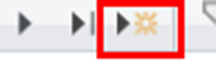
…
and adding the record and then assigning the SAMSID to that (the column on the right).
For example:

(note that the LTID will default to 0 when you add a new record, change that 0 to whatever the next number in your sequence is, in my case it was 10)
Note that if you don’t use any of the items that have required a change then you don’t need to change anything on your list (right hand side table).
DON’T adjust anything in the left hand table, that is to show you how the IDs are allocated to the leave typed in SAMS.
Also, don’t go removing everything in your table (the FrontOFFICE one on the right hand side) and then readd all of them with the idea to make it match the one exactly on the left hand side, because that will mean that all the leave that you have captured in the current leave cycle will have values in each record with no associated leave type (or one that is different to what it was originally).
Term4 LRC change deadlines
Please check your year end LRC designs and if there are any changes to be made, then please let us know as soon as you can. The deadline for LRC changes is approaching fast (15th November). If design changes are requested after this date then it may incur an extra design charge as per the SLF (Service Level Framework).
An easy way to check is to look at your term 4 LRCs from 2021, that is what the design will still be this year. If you want changes get them in now.
Another method you can use, which is more thorough. Is to copy lets say your RD3 marks (Data Editing, Academics) then paste them into an RD column you are not likely to use (you can always copy a blank column back over it anyway), lets say RD9. Then make all your weightings in set classes equal to (0-0-0-0-0-0-0-0-1-0-0-0) (the 9th number is a 1), meaning that your YtD column is ONLY going to look at RD9, nothing else.
Then run your YtD calcs and then all your reports (LRCs and Schedules and Rank Orders and Stats and Fail lists and so on) should match your RD3 ones.
If you are a marking centre AND or you have academic heads that head off to do matric marking, then it is even more imperative that you start doing checking as soon as possible. We are making a massive push this year to get things done as far ahead of time as possible (and sensible) so that when the preveribial goal posts get inevitably shifted we have capacity to deal with this.
Many of you will be doing testimonials too as well as matric seating plans, if they are the same for trials then you would have those already but if you are planning any changes then let us know now so that we can spin those off.
Capturing New Applicants
Many of you will have started capturing New Apps. Remember that you need to capture ‘2023’ in the ‘New Applicant’ box in Admin Records OR Admin Data (which is where most of you capture as data sheet view is easier).
To that end we have added a a button on the admin data side that will bring up a datasheet that is more specific to the columns needed for NewApps:

This is so that you don’t have to hide and unhide a whole lot of columns in the ‘Learner Generic’ datasheet to your preference for New Apps capturing.
You will notice, in admin records and admin data, that we have created fields for second and third name. We are going to show you how to split these out. But I will leave that for the next email.
Recent Comments