
Sandton, Gauteng, South Africa
Monday to Friday
End of Term3 2022
Admin Reports Cosmetic change
Whenever I hear the word ‘cosmetic’, I think of of these shows my wife watches called ‘Housewives of Orange County’ (insert eyeroll emoji). For the life of me…!! Apparently there is a ‘Housewives of Durban’ now. Struth. No comment.
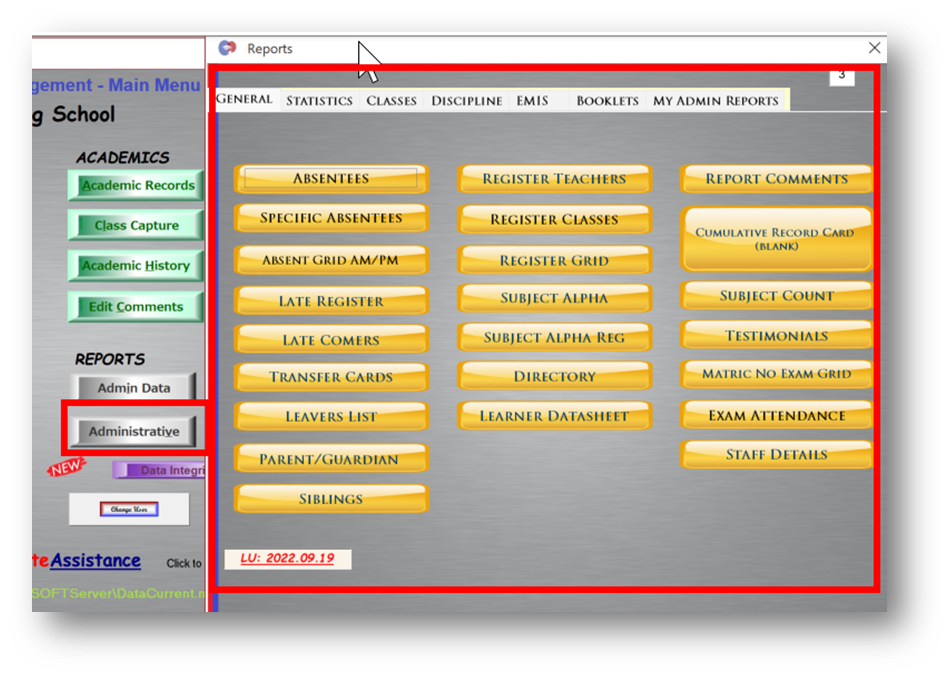
Anyway, if your FrontOFFICE is updated to 165 + then you should see this when you open Admin Reports form (each tab has different colours/styles but the feature is the same):
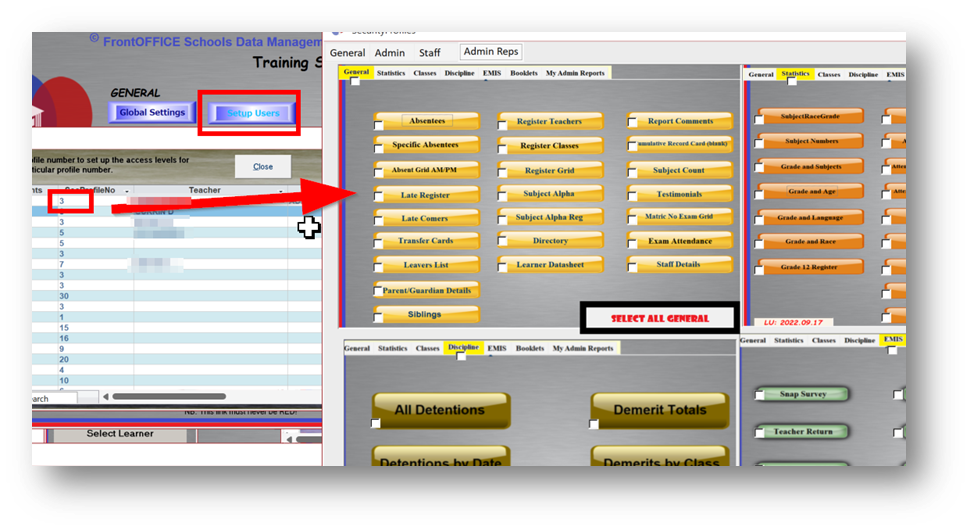
You should also see this when you go to Setup Users, double click on any profile number then choose the Admin Reps tab:
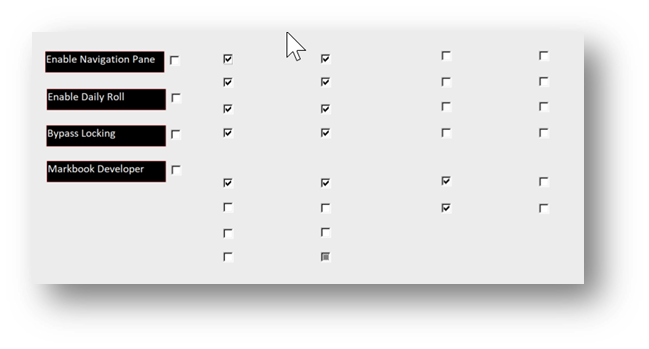
I have also noticed from time to time, that when looking at the general tab in this screen, people are seeing:
Instead of:
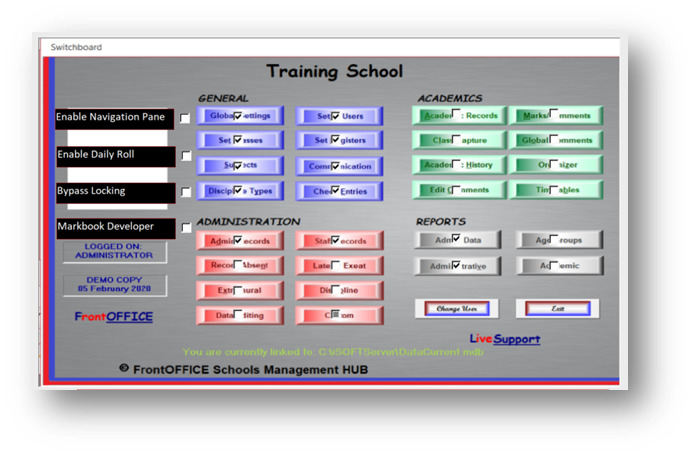
If ANY of the above is an issue for you, then please let us know, it is a simple fix, it means you may have opened any of these screens after updating but before your local themes folder had a chance to sync with our themes folder on the cloud.
SAMS Patch ‘Rumours’
It does appear to be the case that there is a SAMS patch ‘around the corner’. We will be on the vigilant lookout and will run and test as soon as it comes out.
Immigrants Failing FAL
If an immigrant fails FAL but meets all the other criteria required as per departmental promotion requirements, then please use the Report Result Override facility in Admin Records/Data to pass the learner.
Agg Calcs
Please remember;
- To use the Agg calcs in the generic academic section to calculate the learner averages/aggregates.
- If there is a change in any of the learners marks to rerun them (learner avg/agg calcs are done by triggering the calc function, not on-the-fly (like pass/fail which adjusts itself as things change), so if a mark changes the agg calc needs to be re-triggered). This includes Grade and Class position.
- The Avg/Agg, GPs and CPs are stored in a table for each learner so if they are not re-triggered after a change then a report or schedule would show the old one. (this is known as static data control).
- Most things are calculated ‘on-the-fly’ (except above) ie. if there is a change it automatically happens in the ‘background’. This includes things like Pass/Fail results for each term + year and grade averages. Ie. as you change, they change (this is known as dynamic data control).
- There are advantages and disadvantages to both methods (static vs dynamic). On the one hand, something that is triggered and then stored in a field of its own (static), then becomes much faster to reference on a report or in a further calculation.
Something that is calculated ‘on-the-fly’ – sort of like a formula in excel – (dynamic) means nothing needs to be triggered and will change as new data is entered BUT then the value itself is not stored anywhere in reality and when referenced on reports or in later calculations can be slower because that calculation takes place every single time it is called upon.
We try, as developers and data managers, to be prudent about where to use what method for the best user experience. For instance, if every time you opened an LRC (including flicking from one to the next on the screen), the avg was being calculated each and every time… well… enough said. But this is not a problem for the result, each result calculates in nano-seconds.
- On a side note, purely for your insterest this extends further to the system as a whole, if you have save buttons everywhere, then you know that the data you are entering, is not going anywhere, until committed (via code within the save button telling it to go to the server – ie. static) whereas in FrontOFFICE, generally, as you enter the data, it flows to the server as soon as you go to the next record (ie. dynamic). Again, there are advantages and disadvantages to both. We are always on the hunt for improvement in efficiency to improve performance. That is a game that never stops. ‘Progress’ I think they call it 😊.
Marksheets
A few notes on the marksheets on some issues we have noticed in term 3 or things that folks are still not completely understanding:
- The marksheets, whilst vastly improved and looking fantastic, there is still more ‘progress’ required. They are not fully geared for split subjects, we have helped schools individually with various methods for this. The simplest thing to do, is pull the split mark into FrontOFFICE from the marksheet itself by nominating an RD:

If you are pulling in the RD for the non-split subjects using a different method (eg straight from SAMS) then do put the non-split and split marksheet in different folders. In this case, you would only have to Post to FO after doing the Splits
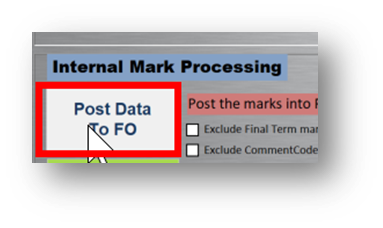
The only reason for ticking the ‘Exclude Final Term marks’ at this juncture would be if you were ONLY wanting to pull comments and or effort symbols.
This can be skipped entirely if you do not bring any of these in from the marksheets (ie they are being used purely for getting task marks into SASAMS.
And a reminder to use “FO Marks Check” on the marksheet manager to see which marks are in or still outstanding, for those that use Post To FO.
- They are also not geared for the -1 situation yet. For those learners, one would need to push the marks to SAMS, generate their term mark, then punch them into FrontOFFICE.
You can, if you like, just pull them all in from SAMS in the global settings term/RD sync. This will not affect those that have pulled in RDs from the marksheets for the split subjects. For the other subjects, it will simply replace the mark with the same mark from SAMS.
If you have calculated your own RD on the marksheet for term3 (eg you have lets say combined SAMS calculation with another internal mark of your own). eg:
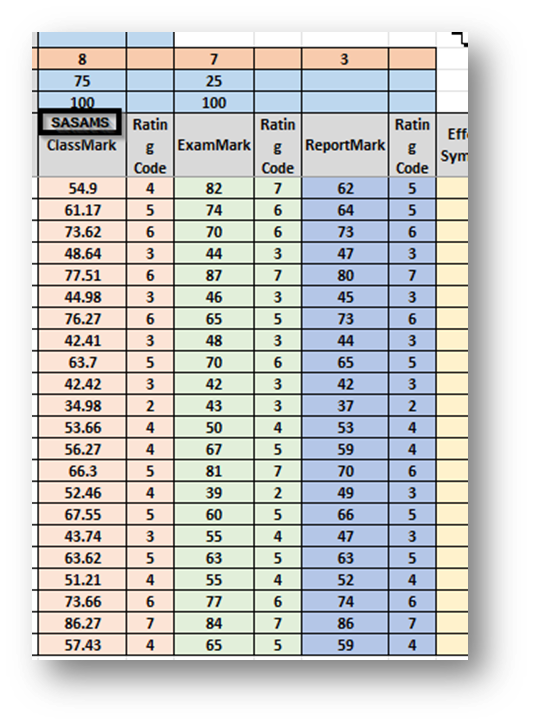
then don’t pull the marks in from SAMS unless you want to pull them into a separate RD column for other reasons (perhaps you are reporting on both marks or would just like to compare them) eg: if you are pulling into RD3 from the marksheets (after lets say combining with an exam in say RD7) then import from SAMS into say RD8. If you are not sure, ask us! 😊
- We have solutions for both of the above (-1s and split subjects) but we do not want to ‘rock the boat’ at this stage as things are smooth (after a bit of a bumpy term2) at the moment. Jobs for 2023!
Some mistaked we have noticed:
- Teachers must not DRAG marks to a new location ie if there is a learner with no marks who is not on their list. They paste the marks and then drag the marks to a new line. This causes Excel to change the formula to look at the new destination.
To correct this they can click on the file name and go back to a previous version that did not have the error, or ask us to change the formula back.
- Teachers cannot paste to more lines than are available. If they get the error Marksheet Locked, then they are trying to past marks outside the allotted space. Often this happens if they try and paste the names as well as the marks. Only the marks can be copied and pasted, not the names.
- Pass Mark on the marksheets is set at 30 but teachers can change this to whatever they want it to be.
- Subjects that have the incorrect weighting due to it not being changed in advance in SAMS can choose to ignore it (the marks in sams will not be affected) or ask for the marksheets to be adjusted with the new weights.
SDS Video from Facebook
There is a short 3min video on Facebook we put up with regards to School Data Sync (the API for synching FrontOFFICE with MS365). It is worth watching to get an understanding of what it is we are on about when we are talking about using FrontOFFICE to automatically roll out and manage your hybrid virtual classroom environments.
SDS CSV v2.1 Value Proposition – YouTube
FrontOFFICE to Google Classrooms Synchronicity
We are beginning the R&D for the synchronisation of your FrontOFFICE DMH to Google Classroom. A number of schools are virtualising their classrooms straight to MSTeams (MS365) and the teaching applications within that but some schools are still pretty entrenched in the Google Classrooms environment due to the teaching apps they run off of those. We understand that change is not easy for some.
As we have mentioned before, we believe strongly in the MS365 ecosystem and having looked at a number of them (including Google Classrooms) we do feel the MS365 route is best route to go, HOWEVER, as a Data Management Hub we also promise to build integrations for our clients to periphery applications so that includes Google Classrooms. Again, this would mean that those virtual classrooms wouldn’t need to be managed by the teachers, FrontOFFICE would simply synchronise with this data and keep the classes maintained when changes are made in FrontOFFICE.
Over time then, migration or concurrent usage to or of MSTeams as your virtual classroom management system can be (t)eased in. From an admin perspective though, in terms of sharepoint (includes cloud data management), MSOffice applications and even full on network windows user management (Azure Active Directory), it makes complete sense to sync FrontOFFICE with MS365 (ie. you can be running MS365 at an admin level – there is no Google management system for this – and Google Classroom/MSTeams from at virtual classroom level).
One advantage, particularly at Admin level, you would also personally be making yourself more marketable as so much of industry practice is operating within the Microsoft365 admin environment.
Even at a learner level, they are gearing themselves more readily for tertiary education and the market place itself, the sooner they become more au feit with MS Office applications in the 365 environment the better for them.
New Apps dedicated Datasheet view
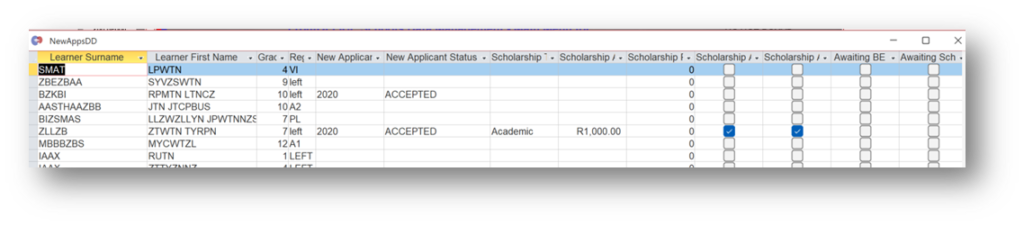
We have made a dedicated New Apps admin datasheet view:
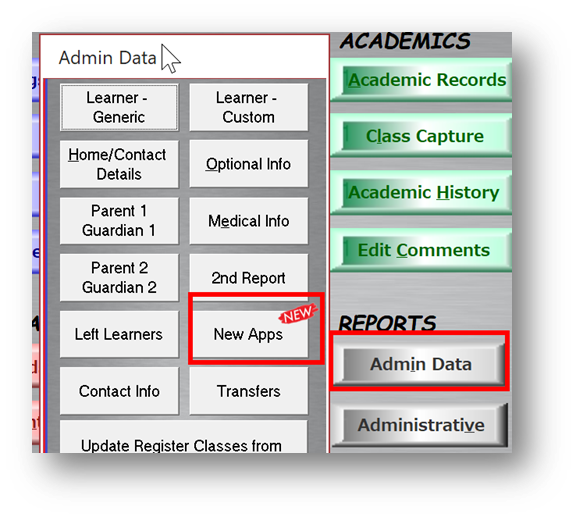
This is so that you don’t have to hide and unhide a whole lot of columns specifically for new applications in the main learner data section. ie:
VM (Virtual Machine) Support Access
Reminder about VM on the server à means we can live support you without disturbing you (you can carry on working). We can also grab your front and data files without having to ask you if we want to test on our side. We can install FrontOFFICE related admin and network management applications.
Additional Language 2
During the week, a number of you had noticed, after update 169, that you had learners that went from passing to failing and it seemed to relate to the additional language. This was because, a number of you had a first additional language captured as Add2. The reason for this was to force them to go into separate columns on the schedule.
But in order to make sure that either of the FALs were counting, given that one of them was technically being marked as SAL, we added Add2 to the pass fail calc. However, this caused those that genuinely did have an SAL AND failed their FAL (and passed their SAL) to then pass when they should have been failing.
We therefore tool Add2 out of the pass fail, as technically it is the correct thing to do. We will come up with a nother solution for forcing them into separate columns on the schedule because although, the column on the schedule is FAL and so it shouldn’t matter that both FAL subjects are falling into that column, a Durban North and Pietermaritzburg insepecter constantly want the schools they visit to not only separate them into their own columns but to also put Afrik and isiZul above the columns respectively.
That’ll be all for this time 🙂
Recent Comments